The short answer
Discover the essential steps and phases of successful app design and development, starting from idea analysis and MVP building to technology selection, launch, and continuous maintenance for your digital project.
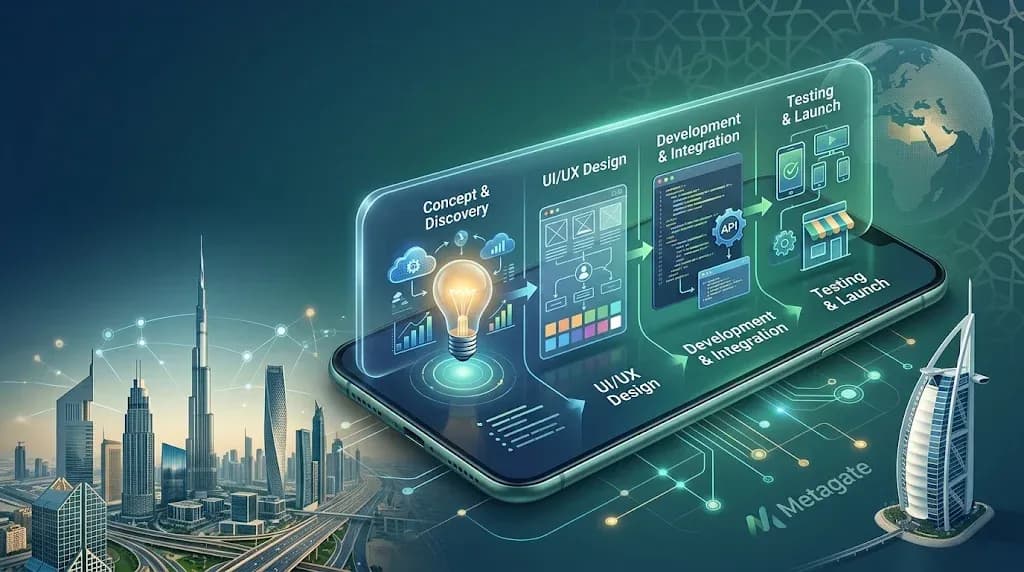
An idea that seems clear in a single meeting can quickly turn into a costly project if the team jumps straight into coding. Therefore, the steps and phases of designing and programming applications do not start with writing code, but by turning the idea into an actionable and measurable business model. A successful app is not the one most cluttered with features, but the one that clearly solves a specific problem and allows the user to reach their desired value in the fewest possible steps.
For an entrepreneur or business manager, understanding these phases before requesting a price quote transforms decision-making. You will know what must be included in the initial version, what can be delayed, how to evaluate design quality, and why a project doesn't end once the app is published to the store.
1. Studying the Idea and Business Problem
Every good app starts with a practical question: What problem will the customer or user pay to solve? The goal might be to reduce service request time, organize field team operations, connect buyers and sellers, or boost e-commerce sales. A phrase like "we want an app like the other one" is never enough because it describes appearance rather than actual need.
At this stage, the target audience, their current behavior, the alternatives they use, and the value the app will deliver are defined. A commercial brokerage app, for instance, requires building trust between transaction parties, while a business management app requires user permissions, reports, and internal integrations. Different problems mean different technical and functional priorities.
It is also wise to analyze competitors—not to copy their features, but to discover opportunities and gaps. Monitor the registration journey, pricing transparency, service speed, and complaint-handling methods. Sometimes, the best competitive advantage is simplifying a complex procedure that confuses users in other apps.
2. Defining Scope and Building the MVP
Once the problem is clear, the hardest decisions arrive: What do we build now, and what do we postpone? This is where the Minimum Viable Product (MVP) comes in. Its goal is not to deliver an incomplete product, but to test the business hypothesis at the lowest possible cost and reasonable time.
If the app offers bookings, the first version might include user registration, viewing schedules, booking, notifications, and a booking management dashboard. Advanced points systems, instant chat, and multi-tier loyalty programs can be postponed unless they are essential to delivering the core service.
Expanding scope too early is one of the leading causes of project delays and high costs. Every new feature means extra screens, edge cases, tests, and potential third-party integrations. Plan quality is measured not by the number of features, but by its ability to launch a useful and measurable product.
The Requirements Document is Not a Formal Step The idea is translated into a requirements document covering user types, core journeys, business rules, permissions, control panels, and integrations like payment gateways, maps, or CRM systems. This document eliminates vague expressions like "simple interface" or "fast signup," turning them into actionable decisions.
Success metrics must also be defined from the beginning. This could be the order completion rate, customer acquisition cost, number of bookings, or app retention rate. Without metrics, it becomes difficult to know whether the next development step solves a real problem or just adds unnecessary complexity.
3. Choosing the Platform and Technical Architecture
Choosing technology is as much a business decision as it is an engineering one. Does the project need native apps for iOS and Android, or is a cross-platform solution suitable for the initial version? Native apps may offer better performance and control in certain cases, especially with heavy reliance on the camera, location, or advanced device features. Conversely, cross-platform development can save time and cost when the product nature fits it.
There is no one-size-fits-all answer. A mid-sized e-commerce store or service app might benefit from cross-platform development with a robust admin panel, while a complex field operations platform requiring offline work might demand deeper technical study. The important thing is to explain the impact of the choice on budget, launch speed, future scaling, and maintenance.
Technical architecture also includes the backend server, database, APIs, file management, notifications, and analytics. Scalability and data security should not be ignored, but there is no need to build a massive infrastructure before demand is proven. Good design balances what the project needs today with what can be built tomorrow without a complete rebuild.
4. UI/UX Design
Design is not just about picking colors and a logo. User experience (UX) design begins by mapping the path a customer takes from first opening the app to completing their goal. How many screens are needed? What information does the app request? Where might a user hesitate or drop off?
Teams usually start with wireframes, then create an interactive prototype before coding. This step is crucial because it reveals issues at the lowest cost. Modifying a button or screen layout in a prototype is much easier than changing it after the UI is built and connected to backend services.
The Arab market has non-negotiable considerations, such as supporting right-to-left (RTL) text direction, font clarity, message phrasing, and number/address input patterns. If the app targets users in the US and other markets, languages, currencies, and time zones must be planned from the start, rather than treating translation as a late addition that confuses the product.
5. Programming, Integrations, and the Admin Panel
Coding begins after requirements and designs are approved, at which point work is divided into reviewable chunks. This includes developing interfaces, backend services, database connections, secure APIs, and integrating payment gateways, maps, or messaging services as needed.
The admin panel is a core element in many projects, not a secondary add-on. Through it, the team manages products, orders, users, offers, or content, and extracts reports to drive decision-making. An app that requires a developer's intervention for every minor adjustment quickly becomes an operational burden.
At this stage, the project owner needs clear progress tracking rather than exhausting technical details. Periodic reviews, demo previews, and documenting any scope changes protect the budget and timeline. Ownership of the source code, account data, and connected services must also be agreed upon from the start.
6. Pre-Launch Testing
Testing is not just a final phase to catch visible bugs. Real scenarios must be tested: What happens when the internet connection is poor? Does the booking notification arrive? Does payment succeed and then log the order? Can the manager cancel a transaction or process a refund? Does the interface render correctly across various screen sizes?
Good testing covers performance, security, and usability, alongside permission checks and invalid input handling. Involving actual users or operational staff in early testing is highly beneficial. Real users uncover questions that rarely appear in requirements documents, such as ambiguous button labels or overly long signup forms.
7. Launch, Marketing, and Results Measurement
Publishing the app to stores is a procedural step; the launch itself is a strategy for user acquisition and service operation. Clear descriptions, professional visuals, a privacy policy, support channels, and a feedback reception plan must be prepared. If the app relies on service providers or vendors, verifying supply-side readiness before driving customers to the platform is essential.
After launch, monitor signup drop-off points, most-used pages, order completion rates, and user reviews. Do not treat every piece of feedback as an immediate feature request. Categorize feedback into bugs, usability roadblocks, and improvement requests, then tie every decision to data and expected business impact.
8. Maintenance and Continuous Development
An app is a living product, not a one-time delivery project. Operating systems change, store policies update, third-party services modify their APIs, and customer needs evolve. Therefore, the maintenance plan includes performance monitoring, security updates, bug fixes, backups, and periodic enhancements based on real usage.
At Metagate, the post-launch phase is treated as an opportunity to turn the app into a scalable growth and operational channel. Experience across diverse projects—from business and brokerage apps to e-commerce and smart services—helps distinguish between essential enhancements that boost conversion and nice-to-have features that drain budgets without clear impact.
The best next step is not requesting a long feature list, but scheduling a session to define the problem, the primary user, and the metric you want to track over the first few months. When these answers are precise, design and programming become calculated investments that support your business rather than turning into an endless technical project.